"Dipsy Doodles" by Dylabel Designs and Dancing Princess Designs; "Pea Stacy Fancy" font by kevinandamanda.com
Showing posts with label freebies. Show all posts
Sunday, February 14, 2010
Dipsy Doodles - New Release
Dylabel Designs and Dancing Princess Designs have put together a jammed-packed huge kit. It has a beautiful combination of spring-like colors. I loved playing with this versatile whimsical kit. It's on sale this week for $5.50 at GoDigitalScrapbooking.com. I used the delicate purples to make my layout. I turned it into a quickpage that you can pick up on the Dylabel Designs CT blog. Check out the kit, layout, and quickpage preview below.
Labels:
digi-scrapping,
digiscrap,
digital scrapbooking,
Dylabel,
Dylabel Designs,
freebies,
layout,
layouts,
Quickpage
Saturday, February 13, 2010
Speed Scrap Layout and Freebie
I made this page at a speed scrap at Polkadotplum.com. The speed scrap was led by Sweet Tomato Designs. It was loads of fun!
Labels:
digi-scrapping,
digiscrap,
digital scrapbooking,
freebies,
layout,
layouts,
speed scrap
Thursday, February 11, 2010
Project Cole & Lillie 365 - Week 6
Well since I'm snowed in again (Saturday, Sunday, yesterday, and today), I thought I would catch up on my Project 365 pictures. I have them all organized again, but have only scrapped Cole and Lillie's page so far.
Instead of using one kit for all 52 layouts, I decided to switch the kit by month. Naturally I wanted something for Valentine's day, so I chose "Sweet Nothings" by Dylabel Designs.
Here's my page and there's a freebie template made from the page below.
Project 365 Freebie Template (click image to download):
Instead of using one kit for all 52 layouts, I decided to switch the kit by month. Naturally I wanted something for Valentine's day, so I chose "Sweet Nothings" by Dylabel Designs.
Here's my page and there's a freebie template made from the page below.
Kit: "Sweet Nothings" by Dylabel Designs; Font: "Traveling Typewriter", "Pea Madsen" by kevinandamanda.com; "Date:" tag: "Capturing the Memories" by Maelia Designs; Date stamp: "The Only Date Stamp You'll Ever Need" by Stolen Moments Designs
Project 365 Freebie Template (click image to download):
Labels:
digi-scrapping,
digiscrap,
Dylabel Designs,
freebies,
layout,
Project 365,
template
Saturday, February 6, 2010
Confection Heaven Frame Freebie
Just wanted to encourage you to check out Dylabel Designs' CT blog today. I am hosting a frame freebie there.
I'll share the preview, but you have to go there to get it. Have a great weekend!
The frame is made using Confection Heaven by Dylabel Designs available at goDigitalScrapbooking.com.
I'll share the preview, but you have to go there to get it. Have a great weekend!
The frame is made using Confection Heaven by Dylabel Designs available at goDigitalScrapbooking.com.
Friday, January 29, 2010
New Release - Tweet Tweet by Dylabel Designs
Dylabel Designs has a new kit at GoDigitalScrapbooking.com that is full of sweet colors: red, pink, and mint green. Of course, I'm so crazy about pink, I just used some of the pinks from the kit in my layout. Check out the quickpage I made from it below. Download from 4shared.com.
Here's the preview:
Kit: "Tweet Tweet" by Dylabel Designs; Font:Pea Ky Ky by kevinandamanda.com
Sunday, December 6, 2009
Holiday Recipe Cards
I came across the most darling holiday recipe cards. You have to check them out. Not only has Shabby Princess created such lovely cards, they are offering to you as a free download. Unbelievable!! Furthermore, on the download page are a ton of instructions on how to use the box template and tags to create gifts for the holidays. Click the image to be taken to the website and enjoy!
Friday, December 4, 2009
Harvest Blessings Release and Freebie
So I got to play with another kit this week. It's called Harvest Blessings by Dylabel Designs. It's 35% off all this week! I've created a layout and a freebie using it. Check them out.
...and my freebie is being hosted on Dylabel Designs' website. Links to her page.
Great Tutorial on How to Use Templates
The only template I've ever made. Please feel free to snag it. (click template image to download)
When I started this blog I really concentrated on helping new digi-scrappers. As I've grown in my scrapbooking skills I have gotten away from that and kind of forgotten what would be typical questions from a newbie-scrapbooker. It was a lot easier when I was one myself. Funny how scrapping over 6 months and making approximately 75 layouts has brought me this far. And I am sure to many digi-scrappers out there I am just scratching the surface! But I am working on it. I have been scrapping up a storm these last few weeks---making about two a day for a couple of weeks. But the creative juices are starting to dry up and my momentum is slowing down.
Anyway, all of that to say that I came across a great video that will help someone newer to digi-scrapping. It is how to use templates. I know there are lots of good tutorials on this, but I still learn something new when I watch them because everybody has a different way of going about scrapping. It helps me learn the ins-and-outs of the program better.
Today's tutorial is by Cathy Zielske. I love her style, personality, and her templates and if I were not cheap I probably would own all of her templates for square pages. Here's a link to her tutorial on templates: http://vimeo.com/7968334 and here's a link to her blog: http://cathyzielske.typepad.com/my_weblog/2009/12/video-tutorial-working-with-layered-templates.html. What is even neater is that she turned this into a hybrid page when she was finished doing the digital part, so be sure to check out her blog.
Friday, November 27, 2009
2 New Releases and freebies
I just wanted to share some kits with you that I played with this week. They are available at GoDigitalScrapbooking.com.
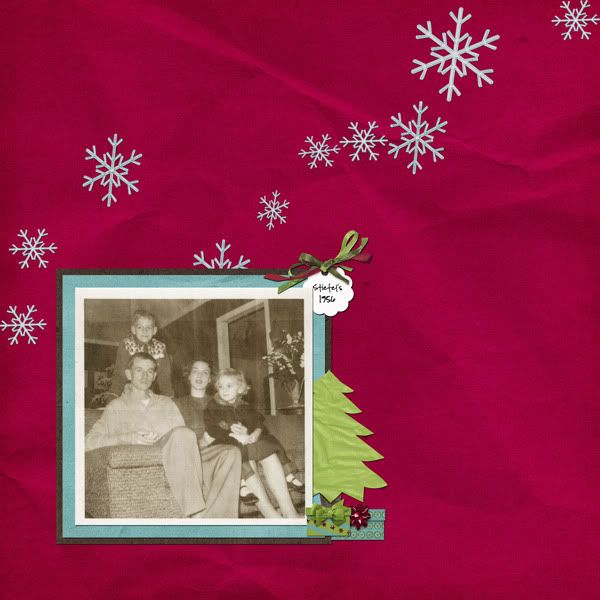
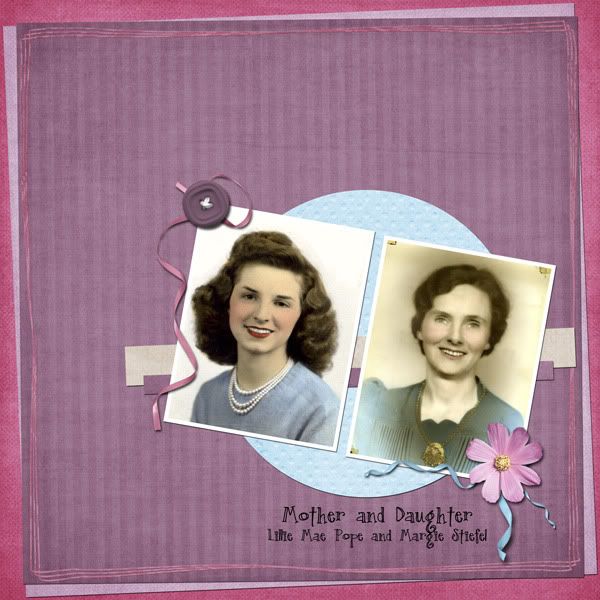
First is a collaboration by Dylabel Designs and geniaBeana Scraps called Holly Jolly. Here is the kit, my layout, and a quickpage from the layout. The layout includes a picture of my mother's family when she was just 4 years old. It was a funny reddish color so I altered the photo to make it look old but more natural.

and a quickpage:
The quickpage is linked, click image to download.
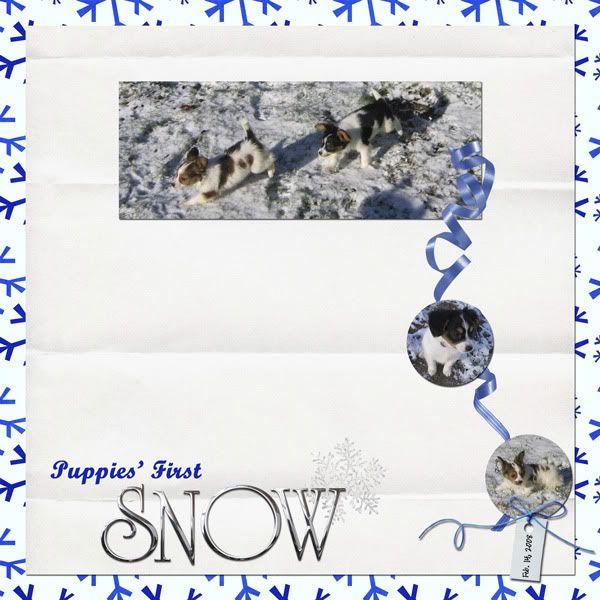
This is the second kit, Happy Hanukkah, that I played with this week by Dylabel Designs. I am a Christian so I went with a snow motif instead of Hanukkah. This kit worked really well for that as well. I loved the pictures I used in the layout of the puppies playing in the snow when they were just 9 weeks old---only days after we got them.


and a freebie cluster frame that I made using Happy Hanukkah by Dylabel Designs.
The frame is linked. Click the image to download.
First is a collaboration by Dylabel Designs and geniaBeana Scraps called Holly Jolly. Here is the kit, my layout, and a quickpage from the layout. The layout includes a picture of my mother's family when she was just 4 years old. It was a funny reddish color so I altered the photo to make it look old but more natural.
This is the second kit, Happy Hanukkah, that I played with this week by Dylabel Designs. I am a Christian so I went with a snow motif instead of Hanukkah. This kit worked really well for that as well. I loved the pictures I used in the layout of the puppies playing in the snow when they were just 9 weeks old---only days after we got them.
and a freebie cluster frame that I made using Happy Hanukkah by Dylabel Designs.
Friday, November 20, 2009
Sweet Pea Release and Freebie
Hey! I have another layout from a new release by Dylabel Designs to show you today. She has this adorable kit called Sweet Pea which has the perfect combination of pinks and greens. It is in the store at GoDigitalScrapbooking.com for 35% off all this week.
Sweet Pea by Dylabel Designs
Happy Friday, everyone. Have a great weekend! :)
Friday, November 13, 2009
New Release - Ode to a Starry Night and freebie
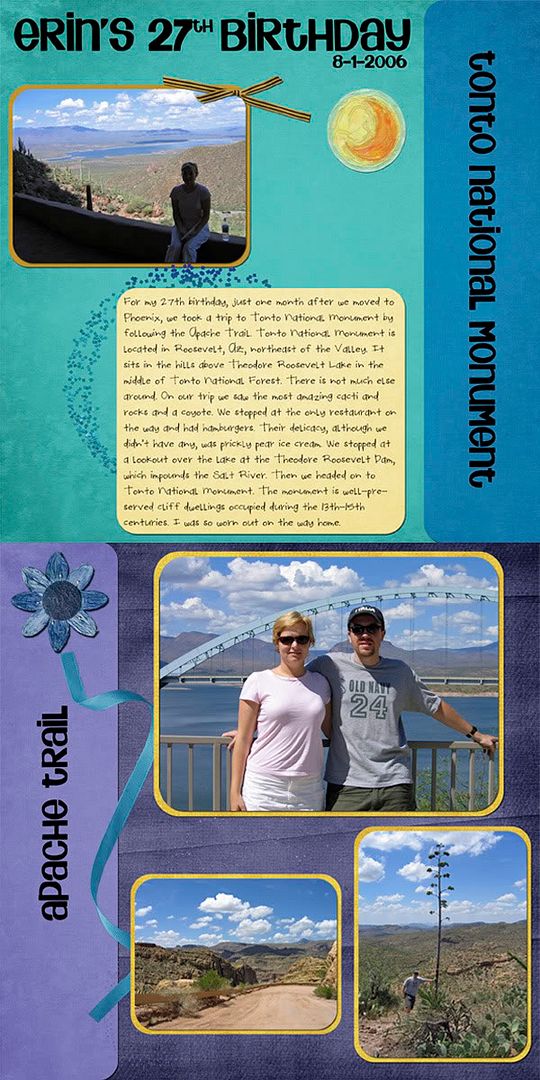
I played with Dylabel Designs' newest kit this week, called Ode to a Starry Night. I decided it is about time to start scrapping some of my pictures from Arizona before I forget what we did. I mean these pictures are over three years old now! It's hard to believe it has been that long since we moved to Phoenix. Our time there was such a whirlwind---we only lived there 17 months. Fortunately while there we did take advantage of the location and got out and experienced some really cool stuff you would never see on the east coast.
I did a two page spread of our trip to Tonto National Monument via the Apache Trail. We had been in Phoenix only a few weeks when we took this trip so it was our first real exposure to desert life, the rocks, the lizards and wildlife, and the cacti. Tonto is in the Sonoran Desert and apart of Tonto National Forest.
The CT created some freebies including word art, alpha, frames, and quickpages. Check them out at Belinda's blog: Dylabel Designs.

Finally, since I made the word art, I wanted to share it with you on my blog, as well. Click to download.
I did a two page spread of our trip to Tonto National Monument via the Apache Trail. We had been in Phoenix only a few weeks when we took this trip so it was our first real exposure to desert life, the rocks, the lizards and wildlife, and the cacti. Tonto is in the Sonoran Desert and apart of Tonto National Forest.
The CT created some freebies including word art, alpha, frames, and quickpages. Check them out at Belinda's blog: Dylabel Designs.
CREDITS: "Ode to a Starry Night" by Dylabel Designs; journaling font: Round Birdie by AudNeilYes, I know the first picture is really dark, but it's the only picture we actually took at Tonto National Monument. And of course, it's of me resting because it was a HOT day (remember, August in the Phoenix area!) and a steep walk up to the cliffs.
Finally, since I made the word art, I wanted to share it with you on my blog, as well. Click to download.
Sunday, November 8, 2009
Quickpage Freebie for Forever Heather by Dylabel Designs
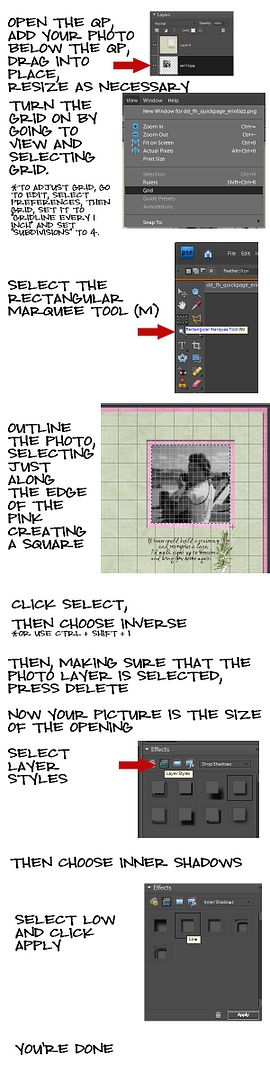
Today I'm sharing a quickpage with you that I created from my layout yesterday using "Forever Heather" by Dylabel Designs. The quickpage download includes a PDF tutorial describing how to create the "matted look" that I used on the page. I'm also including the tutorial below. Just click the quickpage to download.
Also, check out the freebie word art on Dylabel Designs' blog. You can use it in place of the word art I used on the quickpage.
Labels:
Dylabel,
Dylabel Designs,
forever heather,
freebies,
Quickpage
Sunday, November 1, 2009
Fright Night Quickpage
I made a quickpage freebie to share with you using Fright Night by Dylabel Designs. It's holds three pictures. I hope you like it. It's kind of dark, but the kit is inspired by Tim Burton's A Nightmare Before Christmas so it's supposed to be creepy.
Friday, October 23, 2009
Berry Pistachio Freebie
The new CT that I am on is going to be sharing lots of freebies on our blog Dylabel Designs CT Spot. As part of Dylabel Designs' Grand Opening at GoDigitalScrapbooking.com, six kits of all different colors are and themes are being released. The freebies are made using those kits and include brag book pages, quick pages, cluster frames, and more. So be sure to check it out. I wanted to help celebrate the launch of the new site by going ahead and posting one of the freebies that I created. It is a cluster frame made from Berry Pistachio by Dylabel Designs.
The 4-shared link to download this cluster frame is:
http://www.4shared.com/file/143149934/1679368e/dd_bp_cluster_erinfazz.html
Please enjoy!
http://www.4shared.com/file/143149934/1679368e/dd_bp_cluster_erinfazz.html
Please enjoy!
Wednesday, September 9, 2009
Freebie at GDS!
Just wanted to let you know that Snowflake Beach Designs has a freebie on GoDigitalScrapbooking.com today and it's really awesome acrylic styles.

Here are some instructions on how to install layer styles in Photoshop Elements 7.0: http://www.scrappersguide.com/forums/showthread.php?t=3294
Thursday, July 16, 2009
Template and Layout from Camping Trip
{free template below}
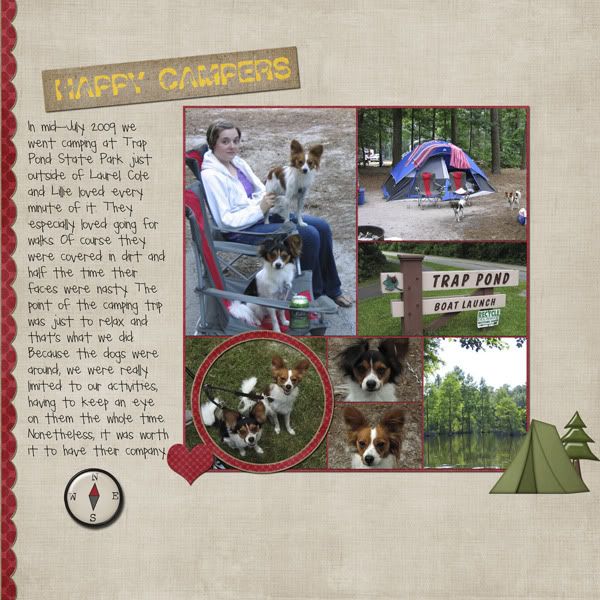
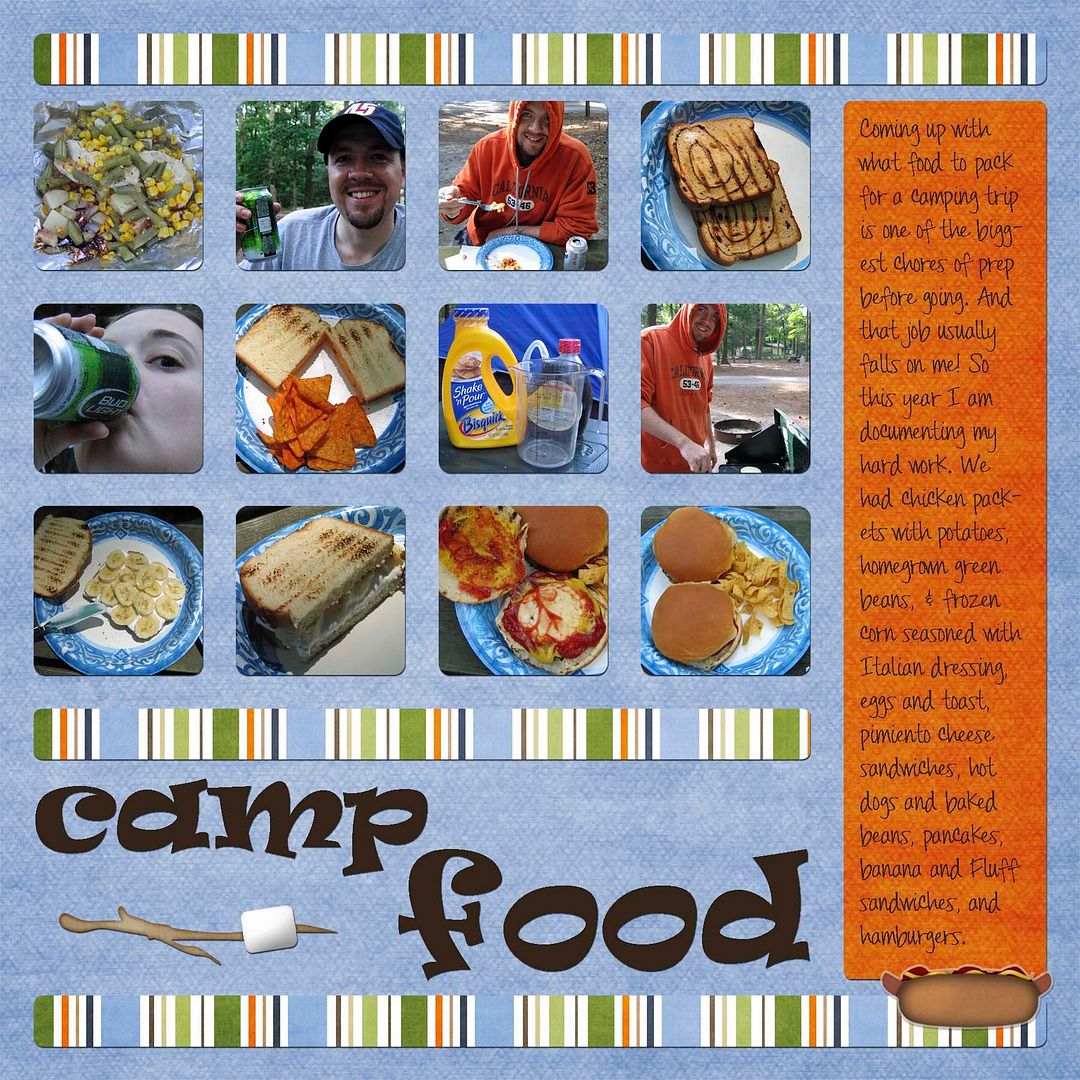
My husband and I went camping this past weekend. We had a really, really good time. The weather was perfect---and unbelievable for July. It hovered right around 80*F (26.7*C). So here's my first layout from the trip. I have more to come because, for one, I got some great pictures of the Papillons. CREDITS: Page Kit "My Favorite Thing" by Jady Day Studio from SYTYCD contest. I altered the hotdog element to look like a sticker and rotated the striped paper. Fonts: Ravie. Pea Nicki by Kevinandamanda.com.I also created a template for this layout and have made it available for you to download. Just click the image to download.
The neat thing about this template is that I drew it out while we were camping, and then on Tuesday Cathy Zielske did a video as a guest blogger for Ali Edwards' blog in which she showed how to do multi-photo grids for layouts using PSE 7. What a coincidence! You can check out the video on her blog by clicking here.
Labels:
digi-scrapping,
digiscrap,
digiscrapping,
digitial scrapbooking,
freebies,
layout,
layouts,
template
Thursday, June 11, 2009
and...A Class
I came across an announcement for a free class about photo editing at JessicaSprague.com and thought I'd pass it along. It appears to me to be for Photoshop users, but I figure even those of us that use Photoshop Elements can learn something from it.
Labels:
class,
digi-scrapping,
digiscrap,
digiscrapping,
digitial scrapbooking,
editing,
freebies,
layout,
layouts,
photograph,
Photoshop
Wednesday, April 29, 2009
Digi-Scrapping Blogs
The above papers are from Summer Driggs' kit Apples and Almonds. The edges are by Gunhild from Edges
To help facilitate your search for digi-scrapping blogs---particularly those that offer freebies---I have set up a list of blogs in the right column of my blog called "Scrapping Blogs". Check out these wonderful blogs!
Labels:
blog,
blogs,
digi-scrapping,
digiscrapping,
digitial scrapbooking,
freebies
Subscribe to:
Posts (Atom)