Showing posts with label template. Show all posts

Thursday, February 11, 2010

Project Cole & Lillie 365 - Week 6

Well since I'm snowed in again (Saturday, Sunday, yesterday, and today), I thought I would catch up on my Project 365 pictures. I have them all organized again, but have only scrapped Cole and Lillie's page so far.

Instead of using one kit for all 52 layouts, I decided to switch the kit by month. Naturally I wanted something for Valentine's day, so I chose "Sweet Nothings" by Dylabel Designs.

Here's my page and there's a freebie template made from the page below.
 
Kit: "Sweet Nothings" by Dylabel Designs; Font: "Traveling Typewriter", "Pea Madsen" by kevinandamanda.com; "Date:" tag: "Capturing the Memories" by Maelia Designs; Date stamp: "The Only Date Stamp You'll Ever Need" by Stolen Moments Designs

Project 365 Freebie Template (click image to download):

Friday, December 4, 2009

Great Tutorial on How to Use Templates

The only template I've ever made. Please feel free to snag it. (click template image to download)

When I started this blog I really concentrated on helping new digi-scrappers. As I've grown in my scrapbooking skills I have gotten away from that and kind of forgotten what would be typical questions from a newbie-scrapbooker. It was a lot easier when I was one myself. Funny how scrapping over 6 months and making approximately 75 layouts has brought me this far. And I am sure to many digi-scrappers out there I am just scratching the surface! But I am working on it. I have been scrapping up a storm these last few weeks---making about two a day for a couple of weeks. But the creative juices are starting to dry up and my momentum is slowing down.

Anyway, all of that to say that I came across a great video that will help someone newer to digi-scrapping. It is how to use templates. I know there are lots of good tutorials on this, but I still learn something new when I watch them because everybody has a different way of going about scrapping. It helps me learn the ins-and-outs of the program better.


Today's tutorial is by Cathy Zielske. I love her style, personality, and her templates and if I were not cheap I probably would own all of her templates for square pages. Here's a link to her tutorial on templates:
http://vimeo.com/7968334 and here's a link to her blog: http://cathyzielske.typepad.com/my_weblog/2009/12/video-tutorial-working-with-layered-templates.html. What is even neater is that she turned this into a hybrid page when she was finished doing the digital part, so be sure to check out her blog.

Thursday, July 16, 2009

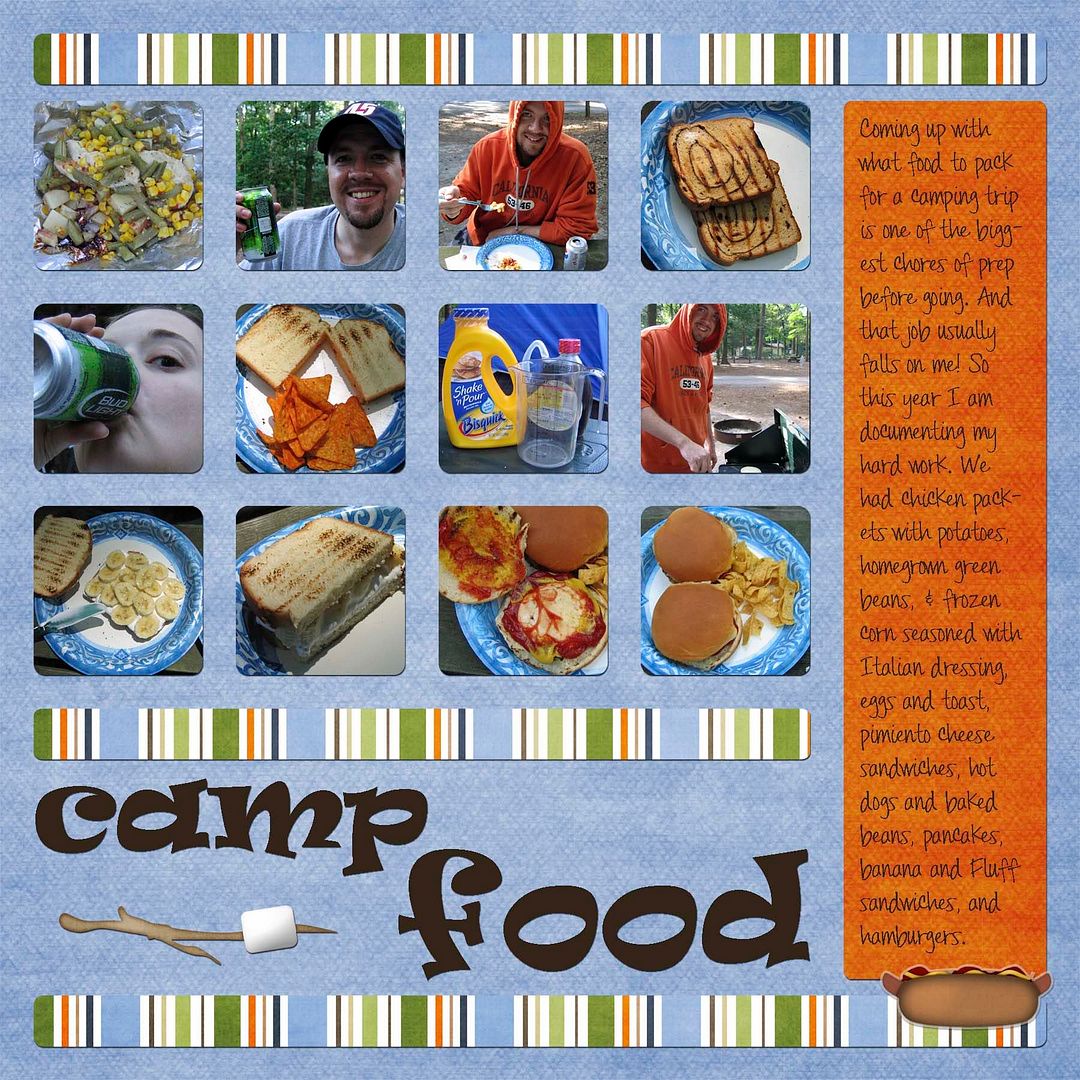
Template and Layout from Camping Trip

{free template below}
My husband and I went camping this past weekend. We had a really, really good time. The weather was perfect---and unbelievable for July. It hovered right around 80*F (26.7*C). So here's my first layout from the trip. I have more to come because, for one, I got some great pictures of the Papillons.
camp food layout
CREDITS: Page Kit "My Favorite Thing" by Jady Day Studio from SYTYCD contest. I altered the hotdog element to look like a sticker and rotated the striped paper. Fonts: Ravie. Pea Nicki by Kevinandamanda.com.
I also created a template for this layout and have made it available for you to download. Just click the image to download.
alternative text

The neat thing about this template is that I drew it out while we were camping, and then on Tuesday Cathy Zielske did a video as a guest blogger for Ali Edwards' blog in which she showed how to do multi-photo grids for layouts using PSE 7. What a coincidence! You can check out the video on her blog by clicking here.